Platform comparison · 2026
Senntric vs Benzinga Pro
Both put real-time market news and audio squawk in front of active traders. The difference is what surrounds the headline. Benzinga Pro is a news-and-scanner product sold in tiers. Senntric is one workspace where the headline sits next to price action, earnings, economic data, charts and options positioning, at one price.
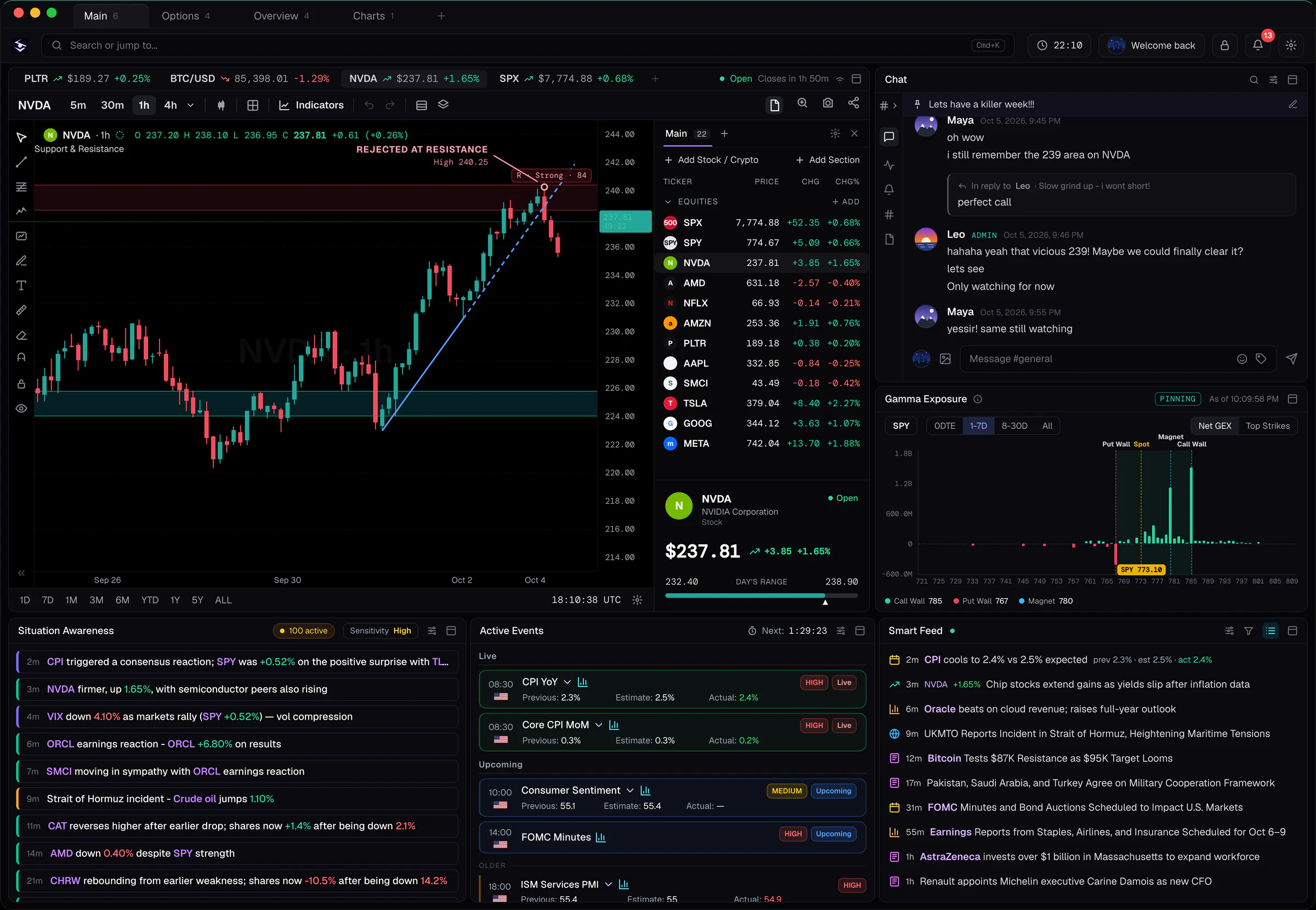
Transparency: This page is published by Senntric. Benzinga Pro details come from Benzinga’s public pricing and product pages. Where Benzinga Pro is the better fit, we say so.
Pricing
What you actually pay. Tiers vs one plan.
 Benzinga Pro3 tiers
- 01
Basic
Newsfeed, movers, watchlist alerts. No squawk.
$37/mo
- 02
Streamlined
Adds advanced news filters and audio squawk.
$147/mo
- 03
Essential
Adds real-time scanner, calendar and signals.
$197/mo
Monthly list prices, October 2026. Annual billing lowers the effective rate. Confirm on Benzinga’s pricing page.
 SenntricOne plan
$149/mo
No tiers. No feature gates. Save 22% quarterly or 34% annually.
- Real-time news, Smart Feed + Active Events
- Audio squawk and alerts
- Economic + earnings intelligence
- Advanced charts + indicator overlays
- GEX profiles + gamma heatmaps
- Custom workspaces + market chat
Bottom line on price: if all you need is a headline feed, Benzinga Pro Basic is cheaper. Once you need squawk, Senntric costs about the same as Streamlined and less than Essential, and it includes charts, GEX and earnings and economic analytics.
Feature by feature
Same question. Different answers.
Each row is a question you ask during a session, and how each platform answers it.
01What’s moving?
Benzinga ProNewsfeed, movers and signals.
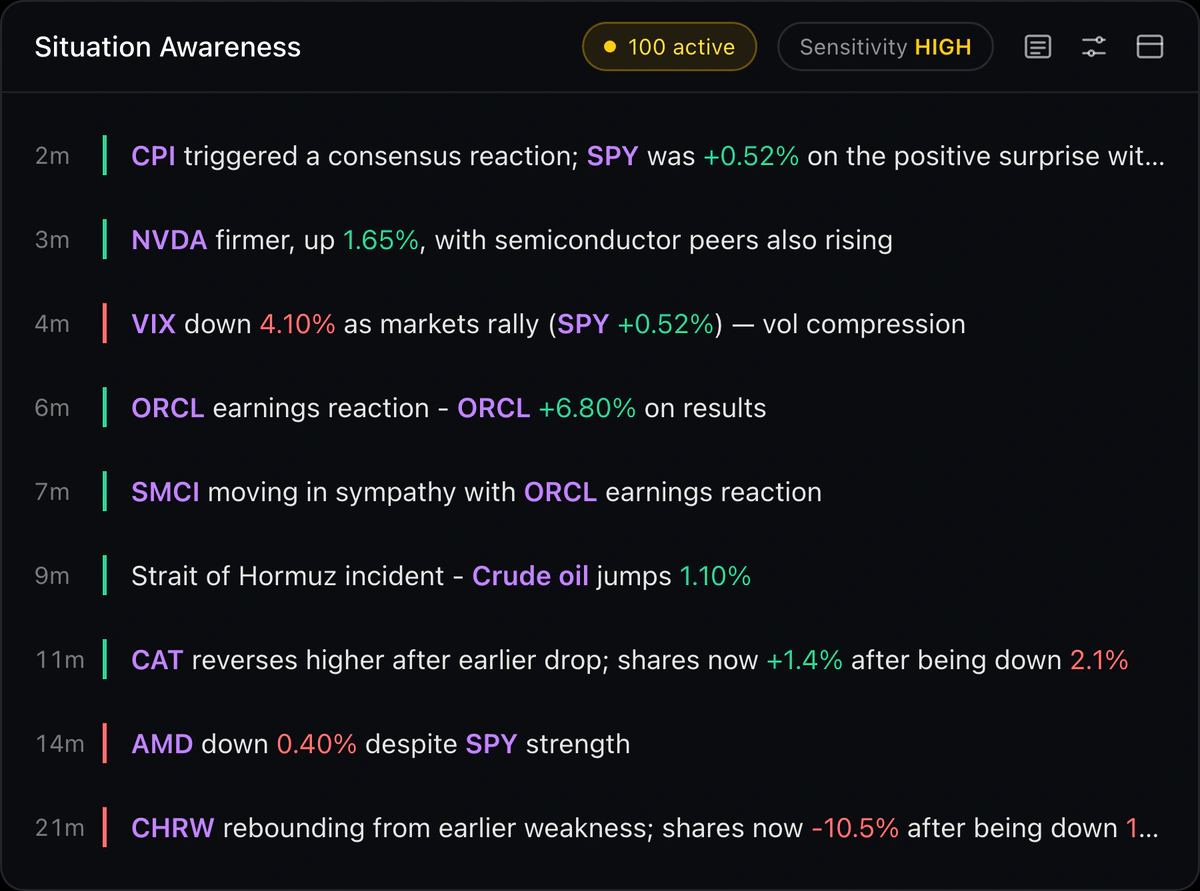
SenntricSmart Feed, Active Events and the Situation Awareness Engine: one-line “what changed” alerts across price, news, options and flows.
02Can I hear it?
Benzinga ProAudio squawk from the Streamlined plan up.
SenntricAudio squawk included.
03What’s the context?
Benzinga ProNews research, calendars and stock details.
SenntricEarnings Intelligence (actuals vs estimates, summaries, historical reactions) and Economic Intelligence (release, surprise, post-release read).
04How is price reacting?
Benzinga ProCharts and stock details.
SenntricAdvanced charts with custom indicator overlays, sector and relative performance, market breadth.
05What’s the options positioning?
Benzinga ProOptions tools.
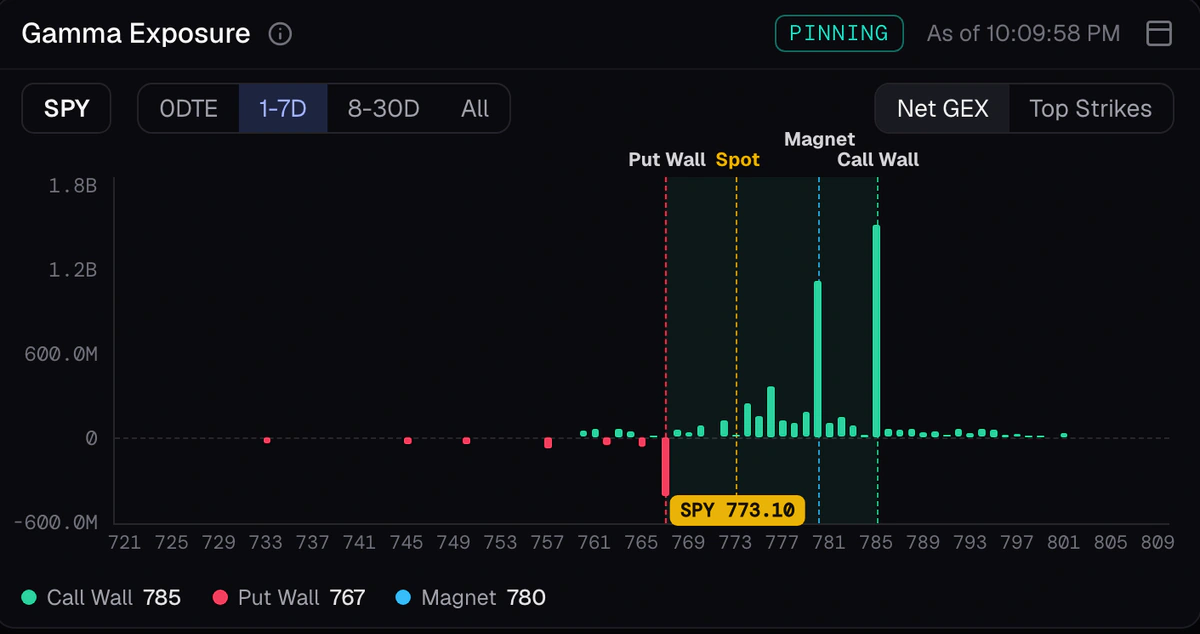
SenntricGEX profiles, gamma heatmaps, call and put walls.
06How do I find setups?
Benzinga ProReal-time scanner on the Essential plan.
SenntricTerminal Search (⌘K) by symbol or intent, watchlists and alerts.
07What markets?
Benzinga ProMainly US equities.
Senntric5,000+ US equities, crypto and forex.
In the product
The headline,with the reaction attached.
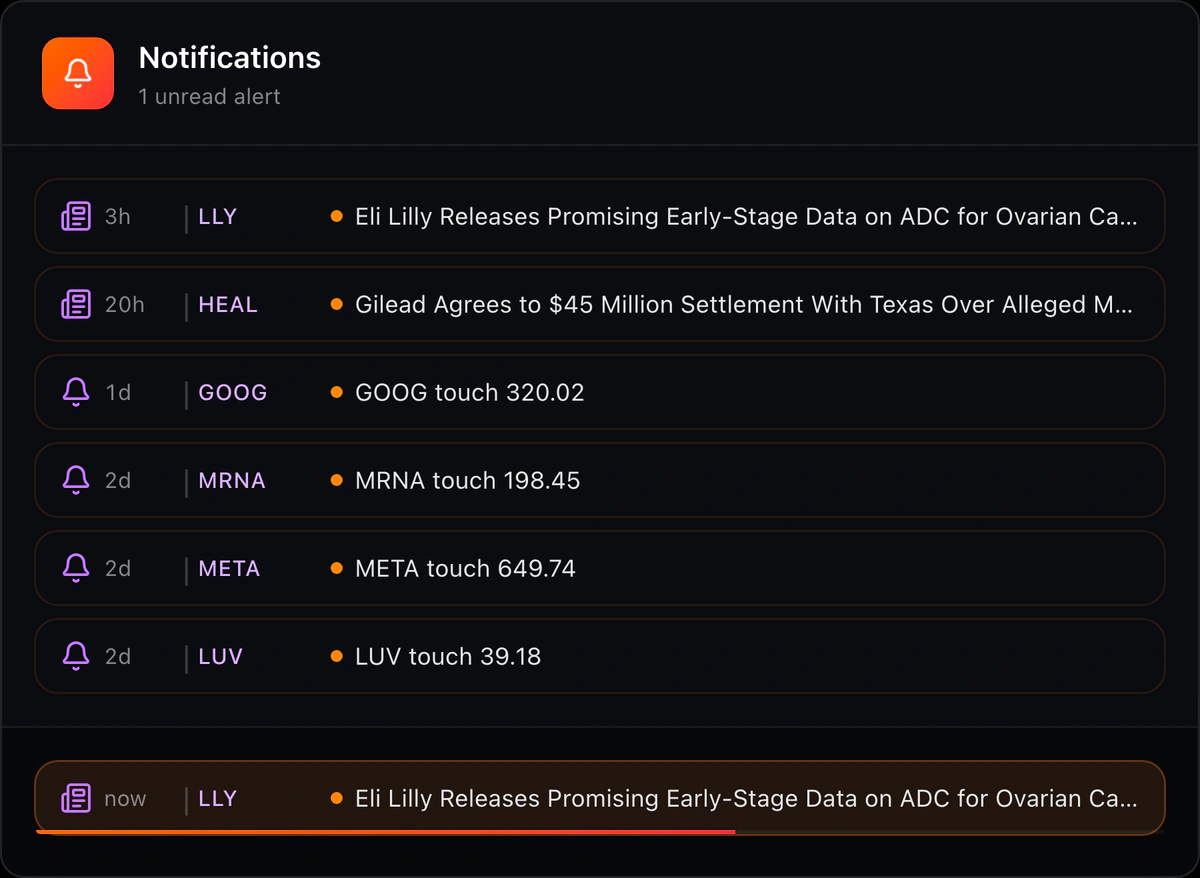
What “context” means in practice, shown in Senntric’s actual interface.

Honest trade-offs
Where each one wins.
Benzinga Prois stronger forIts own newsroom
Benzinga writes a large volume of original US-equity stories. That is the core of the product.
Mature scanning
Essential’s real-time scanner is built for discovering movers.
Low-cost entry
$37/month for the newsfeed is hard to beat if you don’t need squawk or context.
Senntricis stronger forContext beside the headline
No jumping from the news to a separate chart and options tool. The Situation Awareness Engine writes what changed in one line.
Event intelligence
CPI, earnings and Fed events arrive as Active Events with estimates, actuals, surprise, a plain-English read and historical reactions.
Positioning built in
GEX profiles and gamma heatmaps sit next to the catalyst, with no extra subscription.
Who each is for
Pick by workflow.
The better platform is the one that answers your first question of the session.
A news-driven US small-cap or momentum trader who lives in a scanner
Benzinga ProA casual investor who only wants a headline feed
Benzinga ProA day trader who trades catalysts and watches how SPX/QQQ positioning reacts
SenntricA trader who trades earnings and macro releases
SenntricAnyone paying for news, charts and an options tool separately
Senntric
Switching from Benzinga Pro
4 stepsSwitching from Benzinga Pro to Senntric
- 01
Rebuild your watchlist
Open Terminal Search and add the symbols you trade.
- 02
Set your alerts
Add price and event alerts for the names and releases you follow.
- 03
Turn on squawk
Enable audio squawk and pick the Smart Feed categories you care about.
- 04
Run both for a session
Keep both open through one earnings day or CPI release before you cancel.
Questions before switching
Senntric vs Benzinga Pro FAQ
Is Senntric better than Benzinga Pro?
It depends on your workflow. Benzinga Pro is stronger for headline-first US-equity news and real-time scanning. Senntric is stronger when you want the news connected to price action, earnings and economic data, charts and GEX in one workspace.
Is Senntric cheaper than Benzinga Pro?
Senntric is $149/month with every feature included. Benzinga Pro Basic ($37/month) is cheaper but has no squawk. Streamlined ($147/month) adds squawk, and Essential ($197/month) adds the scanner, calendar and signals.
Does Senntric have an audio squawk like Benzinga Pro?
Yes. Audio squawk is included in Senntric’s single plan. On Benzinga Pro it starts at the Streamlined tier.
Does Benzinga Pro have GEX or gamma exposure data?
Benzinga Pro offers options tools, but GEX profiles and gamma heatmaps are a core part of Senntric’s workspace.
Is there a Benzinga Pro coupon or discount?
Benzinga runs promotions, and annual billing lowers its effective monthly rate. Check Benzinga’s pricing page for current offers. Senntric’s quarterly and annual plans carry fixed discounts shown on the pricing page.
What are other Benzinga Pro alternatives?
Our Benzinga Pro alternatives guide compares Newsquawk, Trade Ideas, TrendSpider, Unusual Whales, Finviz Elite and TradingView. Read the Benzinga Pro alternatives guide.
Squawk + context
Same squawk price. Everything else included.
See what changed, why, and how the market is reacting, in one workspace.
Get started