Sena user guide
How to use Sena, your AI trading agent.
Everything Sena can do in Senntric, and how to do it: asking about a stock, plotting a plan, setting alerts, following setups and building strategies. Each part links to a step-by-step tutorial.
Education, not investment advice. Sena never places trades.
Where everything is
Four parts, one tutorial each.
Open Sena from the chart toolbar or type /sena in the command bar. Strategy Lab has its own button beside it.
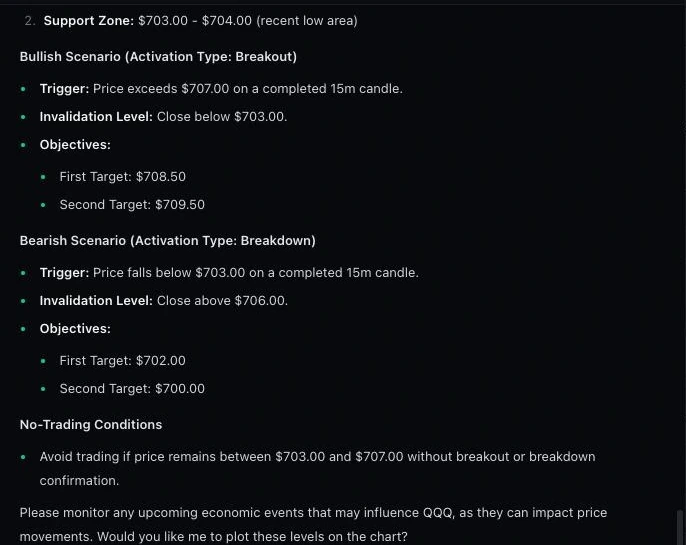
Sena Chat
Ask about any stock. Sena checks live data, writes the plan and plots it on your chart.
AI Stock Analysis: How to Ask an AI Agent About Any Stock
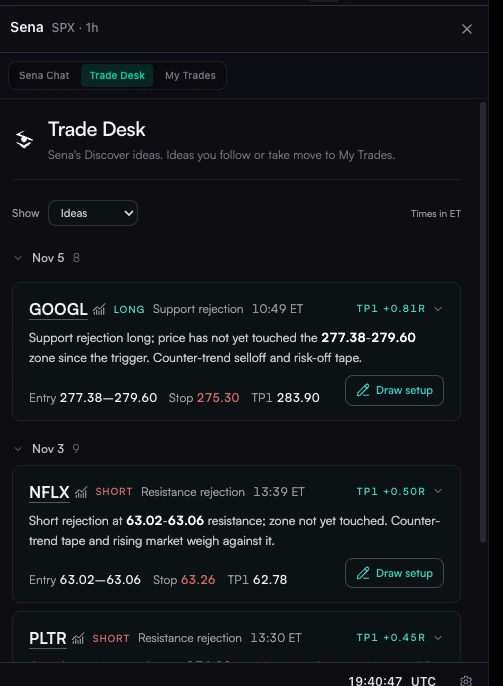
Trade Desk
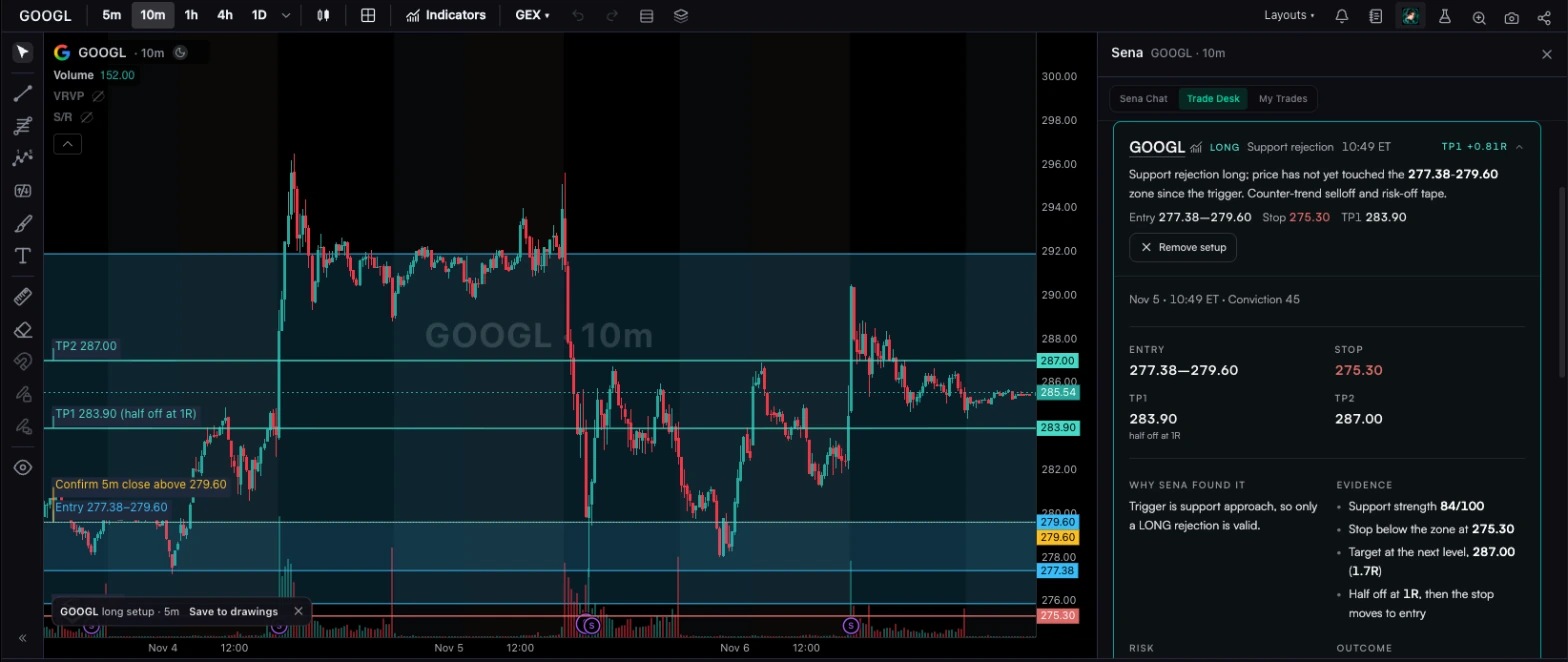
Setups Sena finds on its own, with the entry, stop, targets and every reason.
AI Trade Setups: How an AI Agent Finds and Tracks Them
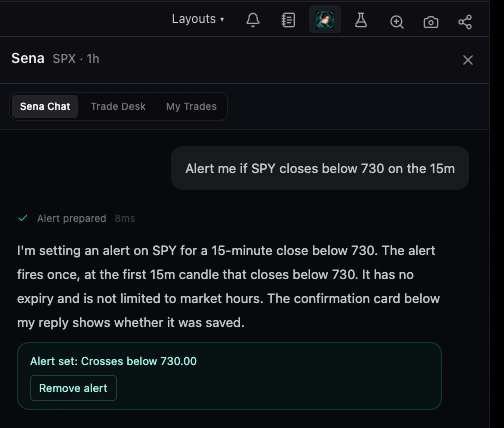
Alerts
Set price, moving-average and gap alerts in one sentence. Sena confirms each one.
How to Set Stock Alerts With AI, in Plain English
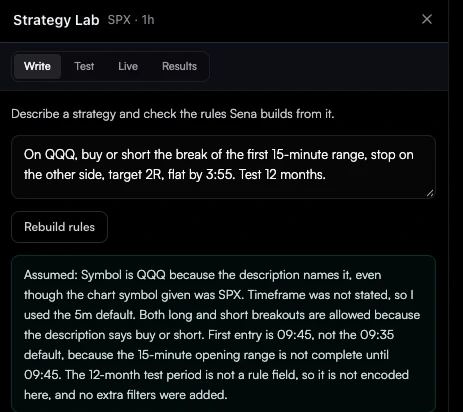
Strategy Lab
Describe a strategy in a sentence, backtest the rules Sena writes, then turn them on as an agent on paper.
How to Create a Trading Bot With AI (No Code)
Put it together
How to Use AI for Day Trading: A Step-by-Step Workflow
A full trading day with Sena, from the premarket plan to the review after the close.
Read the workflow
Prompts that work
Name the symbol and the timeframe.
Give me an intraday setup for SPY on the 15m chart
Where are NVDA’s nearest support and resistance on the 1h?
How has AAPL moved after its last four earnings reports?
Plot that plan on my chart
Alert me if TSLA closes above its 50 EMA on the 1h
Straight answers
What Sena won’t do
- Place trades or connect to your broker
- Invent news or reasons for a move it cannot see in the data
- Force a setup when the chart has none: it says so
- Answer questions that are not about markets
- Give personal financial advice
Questions
Sena FAQ
How do I open Sena?
Open the Sena panel from the chart’s side toolbar, or type /sena in the command bar. You can also type /sena followed by your question to ask straight away. The panel has three tabs: Sena Chat, Trade Desk and My Trades.
What data does Sena use?
Live quotes and historical candles, support and resistance, ranges, trendlines and gaps, options gamma levels, sector performance, and the economic and earnings calendars with how stocks reacted before. Sena does not read the news feed, so it will not tell you why a stock moved unless the data shows it; use Situation Awareness and the Smart Feed for that.
How many messages can I send?
Senntric Pro includes a Sena allowance that resets weekly and monthly. The panel shows roughly how many messages you have left and when it resets, and warns you as you get close to the limit.
Does Sena trade for me?
No. Sena never places orders or connects to a broker. It finds setups, writes plans, sets alerts and watches the trades you choose to take. You place every trade yourself. Do AI trading bots work?.
Which markets does Sena cover?
Sena’s chat analysis covers the stocks, ETFs and indexes in Senntric’s market data. Trade Desk scans 20 of the most traded US stocks and ETFs, and live tracking works during US regular market hours.
Is Sena financial advice?
No. Sena gives conditional, evidence-based analysis: what would have to happen for a setup to work, and where it would be wrong. The decision is always yours.
Try it in Senntric
Ask Sena about the stock you trade next.
Sena is part of Senntric, with live charts, news, squawk and alerts in the same workspace.